1. Get started
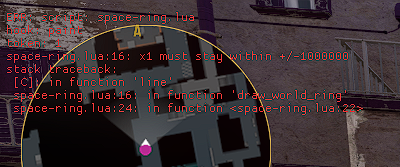
WallbangBros V2 currently exposes wbb.api_version == 2. Scripts are UTF-8 files with a .lua extension.
Script folder
Counter-Strike Global Offensive\game\csgo\WallBangBros\lua
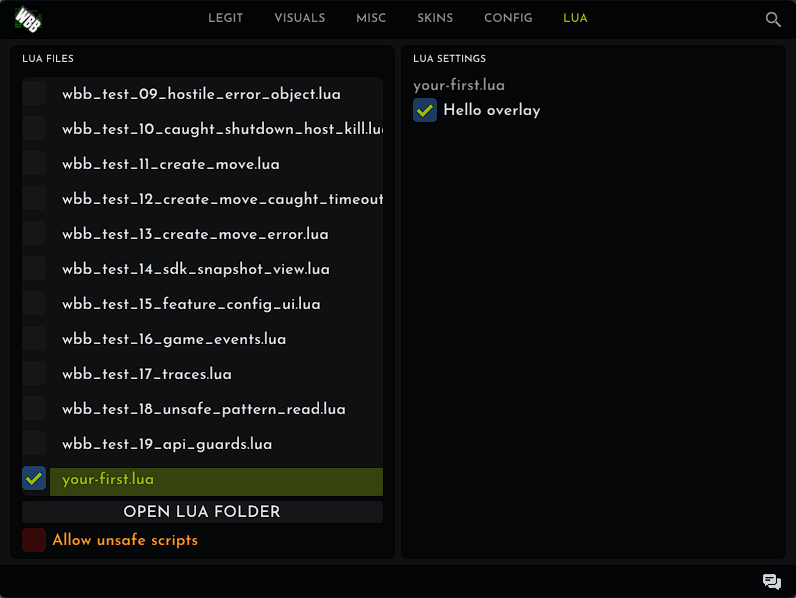
Create the folder if it doesn't exist. Open the WallbangBros V2 menu, select the LUA tab, then enable your file. Script controls appear under LUA SETTINGS while that script is active. Disable and re-enable the file after editing it.
Your first script
Save this as your-first.lua:
assert(wbb.api_version == 2)

local enabled = wbb.ui.checkbox("enabled", "Hello overlay", true)

local paint_token = wbb.events.on("paint", function(frame)
    if not wbb.ui.get("enabled") or not frame.local_player.alive then
        return
    end

    local text = string.format("HP: %d", frame.local_player.health)
    wbb.draw.text(20, 80, wbb.rgba(38, 255, 61, 255), text)
end)

function __shutdown()
    wbb.events.off(paint_token)
end
__shutdown() is optional but recommended. Use it to unregister callbacks and clear script-owned state when the script is disabled or reloaded.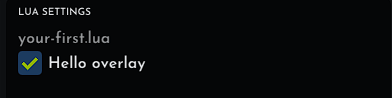
wbb.ui.checkbox call creates this saved setting.2. Events
token = wbb.events.on(name, callback [, priority])
removed = wbb.events.off(token)| Event | Callback value | What scripts can do |
|---|---|---|
create_move | Command and current game snapshots | Read state, request traces, and change validated command fields. |
paint | Frame and current game snapshots | Submit drawing commands and project world positions. |
game_event | Every supported game event | Read the event name and available numeric fields. |
Event name, such as player_hurt | Only matching events | Handle one event without filtering game_event. |
onreturns an integer token. Keep it if you want to callofflater.offreturnstruewhen it removed the callback, otherwisefalse.- Priority is an integer from
-100to100. Higher priorities run first. - A callback error disables that callback and displays a bounded error in the Lua error overlay.
3. Commands and snapshots
create_move command
| Field | Type | Writable |
|---|---|---|
command_number | integer | No |
view_pitch | number, -89..89 | Yes |
view_yaw | number, -180..180 | Yes |
view_roll | number, -50..50 | Yes |
forward_move, side_move, up_move | number, -1..1 | Yes |
buttons | integer bit mask | Yes, known button bits only |
engine, local_player, weapon, players, trace_results | tables | No |
Button constants are available in wbb.buttons: attack, jump, duck, forward, back, use, cancel, left, right, move_left, move_right, attack2, run, reload, left_alt, right_alt, score, speed, walk, zoom, first_weapon, second_weapon, bullrush, first_grenade, second_grenade, middle_attack, and use_or_reload.
cmd.buttons = bit.bor(cmd.buttons, wbb.buttons.jump)
cmd.buttons = bit.band(cmd.buttons, bit.bnot(wbb.buttons.jump))
paint frame
The frame table contains frame_id, delta_time, engine, local_player, weapon, and players.
Engine snapshot
connected, in_game, ffa, max_clients, highest_entity_index, screen_width, and screen_height.
Player snapshot
State: valid, local_player, alive, scoped, has_helmet, immune, flashed, on_ground, and ducking.
Identity: name, entity_index, controller_index, handle, controller_handle, and ground_handle.
Values: flags, health, team, armor, money, move_type, crosshair_entity_index, shots_fired, flash_duration, stamina, and last_spawn_time.
Vectors: origin, absolute_origin, velocity, eye_position, collision_mins, collision_maxs, and aim_punch.
Weapon snapshot
valid, name, entity_index, handle, subclass_id, definition_index, clip, max_clip, weapon_mode, bullets, damage, range, range_modifier, penetration, armor_ratio, headshot_multiplier, spread, inaccuracy, accuracy_penalty, recoil_index, paint_kit, seed, wear, stat_trak, quality, account_id, item_id, item_id_low, and item_id_high.
{ x = number, y = number, z = number }. Check valid before using a player or weapon snapshot.4. Drawing
Drawing calls are valid only inside a paint callback.
wbb.draw.line(x1, y1, x2, y2, color [, thickness])
wbb.draw.rect(x1, y1, x2, y2, color [, thickness])
wbb.draw.filled_rect(x1, y1, x2, y2, color)
wbb.draw.circle(x, y, radius, color [, segments [, thickness]])
wbb.draw.filled_circle(x, y, radius, color [, segments])
wbb.draw.text(x, y, color, text)
screen = wbb.draw.world_to_screen({ x = world_x, y = world_y, z = world_z })
color = wbb.rgba(red, green, blue, alpha)- Screen coordinates are pixels.
wbb.rgbaaccepts integer channels from0to255and returns a packed color.world_to_screenreturns{ x = number, y = number }, ornilwhen the point can't be projected.- World-space shapes are Lua-owned math: project their points, then draw them with the screen-space functions.
World-space ring example
This complete script draws a lime ring 180 world units ahead. It rejects missing and off-screen projections before calling wbb.draw.line, so near-camera points can't create invalid drawing coordinates.
assert(wbb.api_version == 2)

wbb.ui.checkbox("enabled", "Space ring enabled", true)

local lime = wbb.rgba(38, 255, 61, 255)
local view_yaw = 0

local move_token = wbb.events.on("create_move", function(cmd)
    view_yaw = cmd.view_yaw
end)

local function project_visible(frame, point)
    local screen = wbb.draw.world_to_screen(point)
    if not screen then
        return nil
    end

    local width = frame.engine.screen_width
    local height = frame.engine.screen_height
    if screen.x < 0 or screen.x > width or screen.y < 0 or screen.y > height then
        return nil
    end

    return screen
end

local function draw_ring(frame, center)
    local previous = nil
    local segments = 64
    local radius = 32

    for i = 0, segments do
        local angle = i * math.pi * 2 / segments
        local current = project_visible(frame, {
            x = center.x + math.cos(angle) * radius,
            y = center.y + math.sin(angle) * radius,
            z = center.z
        })

        if previous and current then
            wbb.draw.line(previous.x, previous.y, current.x, current.y, lime, 2)
        end
        previous = current
    end
end

local paint_token = wbb.events.on("paint", function(frame)
    local player = frame.local_player
    if not wbb.ui.get("enabled") or not player.valid or not player.alive then
        return
    end

    local yaw = math.rad(view_yaw)
    draw_ring(frame, {
        x = player.eye_position.x + math.cos(yaw) * 180,
        y = player.eye_position.y + math.sin(yaw) * 180,
        z = player.eye_position.z - 36
    })
end)

function __shutdown()
    wbb.events.off(move_token)
    wbb.events.off(paint_token)
end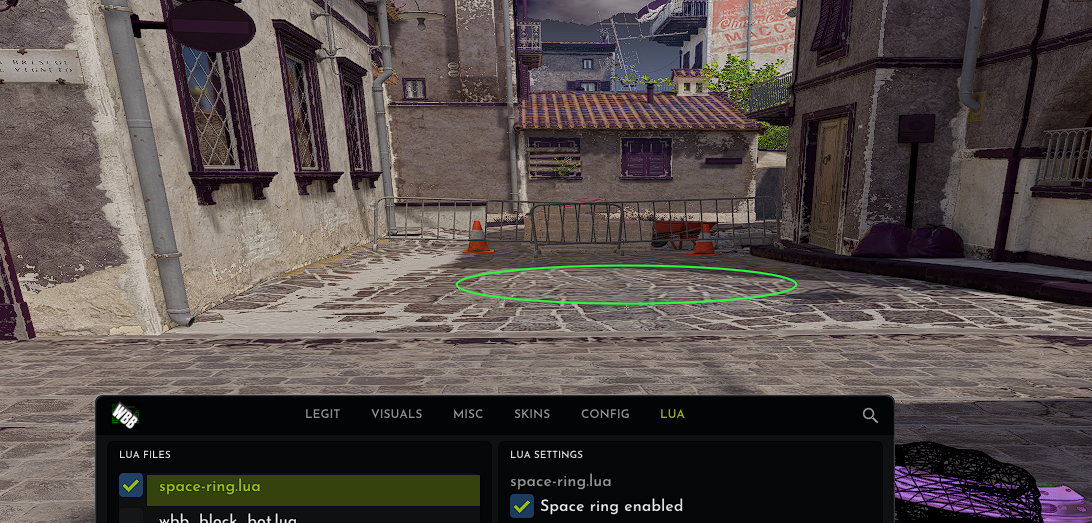
space-ring.lua running in WallbangBros V2.5. UI and configuration
Script-owned controls
value = wbb.ui.checkbox(id, label, default)
value = wbb.ui.slider_int(id, label, default, minimum, maximum)
value = wbb.ui.slider_float(id, label, default, minimum, maximum)
value = wbb.ui.color(id, label, { red, green, blue, alpha })
virtual_key = wbb.ui.keybind(id, label, default_vk)
value = wbb.ui.get(id)
down = wbb.ui.key_down(id)- Register controls at the top level while the script loads. Callbacks should use
getandkey_down. - Control values persist in WallbangBros V2 configuration profiles.
- UI colors are four-number arrays from
0.0to1.0. - Keybinds use Windows virtual-key values from
1to0xFE.key_downreturns the current physical key state.
Hold or toggle example
wbb.ui.keybind("hotkey", "Overlay key", 0x56)
wbb.ui.checkbox("toggle", "Toggle mode", true)

local latched = false
local was_down = false

local token = wbb.events.on("paint", function()
    local down = wbb.ui.key_down("hotkey")
    local toggle = wbb.ui.get("toggle")

    if toggle and down and not was_down then
        latched = not latched
    end

    local active = toggle and latched or down
    was_down = down

    if active then
        wbb.draw.text(20, 110, wbb.rgba(38, 255, 61, 255), "Active")
    end
end)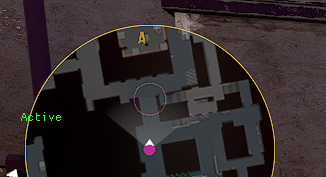
key_down only reports the physical key state.WallbangBros V2 feature configuration
wbb.features and wbb.config are aliases.
paths = wbb.features.list()
descriptor, err = wbb.features.describe("esp.enabled")
value, err = wbb.features.get("esp.enabled")
ok = wbb.features.set("esp.enabled", true)
list returns an array of current config paths. describe returns type, writable, has_range, optional minimum/maximum, and value. Supported value types are boolean, integer, number, and color.
6. Traces
Trace requests are valid only inside create_move. Their results appear in the next command under cmd.trace_results[id].
wbb.trace.fraction(id, start, delta)
wbb.trace.visible_enemy(id, view_angles [, hitgroup_mask])
wbb.trace.penetrable_enemy(id, view_angles [, minimum_damage [, hitgroup_mask]])
wbb.trace.direction(id, start, direction [, allow_penetration
    [, minimum_damage [, hitgroup_mask [, expected_target_index]]]])
Choose a positive integer request ID. A result contains valid, target_entity_index, hit_group, penetrated, fraction, and damage.
local token = wbb.events.on("create_move", function(cmd)
    local previous = cmd.trace_results[1]
    if previous and previous.valid then
        -- Use previous.fraction, previous.damage, and target fields here.
    end

    wbb.trace.fraction(1, cmd.local_player.eye_position, {
        x = 1000, y = 0, z = 0
    })
end)
7. Game events
local token = wbb.events.on("player_hurt", function(event)
    print(string.format("Damage: %d", event.dmg_health or 0))
end)
The event table always contains name. Supported integer fields include dmg_health, dmg_armor, health, armor, hitgroup, headshot, penetrated, round, reason, team, objective, userid, attacker, and assister. Numeric position fields are x, y, and z.
8. Unsafe scripts
enabled = wbb.unsafe.enabled()
address, err = wbb.unsafe.module_base(module_name)
address, err = wbb.unsafe.pattern(module_name, signature)
address, err = wbb.unsafe.add(address, signed_offset)
address, err = wbb.unsafe.resolve_relative(address, displacement_offset)

value, err = wbb.unsafe.read_u8(address)
value, err = wbb.unsafe.read_u16(address)
value, err = wbb.unsafe.read_u32(address)
value, err = wbb.unsafe.read_i32(address)
value, err = wbb.unsafe.read_u64(address)
value, err = wbb.unsafe.read_float(address)
value, err = wbb.unsafe.read_double(address)

ok, err = wbb.unsafe.write_u8(address, value)
ok, err = wbb.unsafe.write_u16(address, value)
ok, err = wbb.unsafe.write_u32(address, value)
ok, err = wbb.unsafe.write_i32(address, value)
ok, err = wbb.unsafe.write_u64(address, value)
ok, err = wbb.unsafe.write_float(address, value)
ok, err = wbb.unsafe.write_double(address, value)
Addresses are opaque strings. Unsafe mode doesn't provide FFI, DLL loading, executable allocation, arbitrary native calls, or native hooks.
9. Limits and troubleshooting
| Resource | Limit |
|---|---|
| Active scripts | 64 |
| Memory | 8 MiB per script |
| Source file | 1 MiB |
| Callbacks | 32 per script |
| UI controls | 128 per script |
| Draw commands | 256 per paint |
| World projections | 1,024 per paint across active scripts |
| Config writes | 32 per update |
| Trace requests | 8 per create-move update |
Sandbox
ffi, io, os, package, debug, dynamic loaders, native modules, and LuaJIT bytecode aren't available. Use math, string, table, and bit for normal script logic.
Common problems
- The script isn't listed: confirm the file ends in
.luaand is in the WallbangBros Lua folder shown above. - The script reports an API error: add
assert(wbb.api_version == 2)at the top and use the function names from this page. - Drawing doesn't appear: drawing calls must run inside
paint. Check that projected points aren'tnil. - A setting doesn't appear: register UI controls at the script's top level, not inside a callback.
- A trace result is missing: read it on the next
create_movecall using the same request ID. - A callback stopped: check the red Lua error overlay, fix the error, then reload the script.