1. Overview
The WallbangBros Loader is the single application you use to start any WallbangBros product you own. You log in once, pick the game you want to play, press Load, and the product loads itself into the game.
| Product | Game | Loaded via |
|---|---|---|
| WallbangBrosV2 | Counter-Strike 2 | WallbangBros Loader |
| WallbangBros | Day of Defeat: Source | WallbangBros Loader |
WallbangBros has been free forever and it stays free. It is private though: you get in through an invite, and invites are free too. They get handed out once in a while to people who are active in our Discord. Want to write your own features on top? See the Lua scripting documentation.
2. Requirements
- Windows 10 or 11, 64-bit.
- Steam installed and logged in, with the target game owned and installed.
- A stable internet connection for the authorization step.
3. Download & first launch
- Follow the antivirus preparation steps in the troubleshooting guide first.
- Download the current loader from the download area of this forum. Always take the current build, older copies refuse to run.
- Place the file anywhere you like (the desktop is fine) and right-click it →
Run as administrator. - If Windows SmartScreen shows a warning for the download, click
More info→Run anyway.
4. Walkthrough: from file to injected game
This is one complete session from start to finish. Follow the screenshots in order.
Step 1: The loader on your desktop
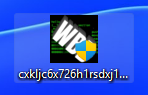
After downloading you have a single file. The name looks like a random string and it carries the WBB icon, that is normal.
Step 2: Start it and authorize
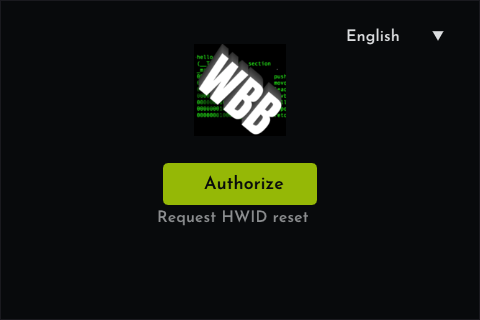
Run the loader as administrator. It opens with a single Authorize button. Press it, and your browser opens the website so you can confirm that the forum account behind this session is really yours.
Step 3: Confirm on the website
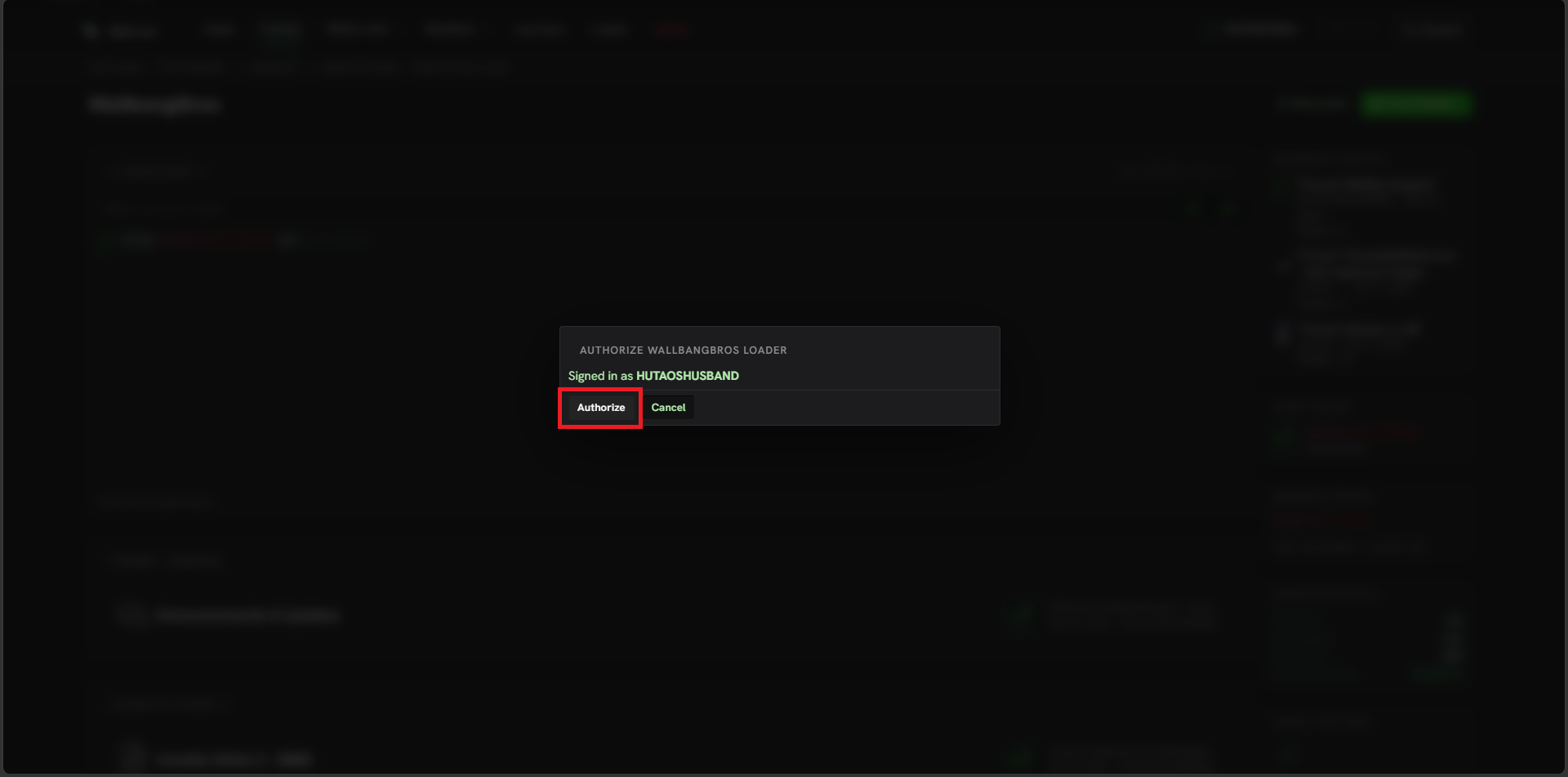
The website shows AUTHORIZE WALLBANGBROS LOADER with your forum name. Press Authorize and the loader continues on its own. You need to be logged into the forum for this step. If the button does not show up or the site asks you to log in, do that first (see troubleshooting).
Step 4: Choose your game
Back in the loader you see the games your account has access to. Click the one you want to play, here Counter-Strike 2. The selected card lights up and the Load button becomes active.
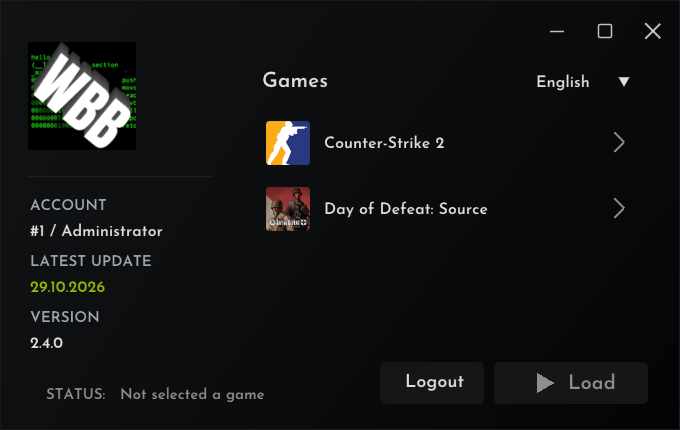
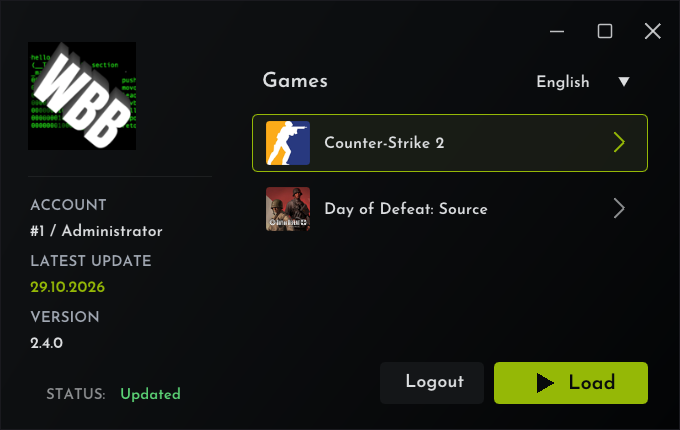
Step 5: Check status and update, then press Load
Before you press Load, look at the two fields on the left. STATUS tells you whether the build for your selected game is currently working, and LATEST UPDATE shows when the game last received a WallbangBros build. If both look good, press Load.
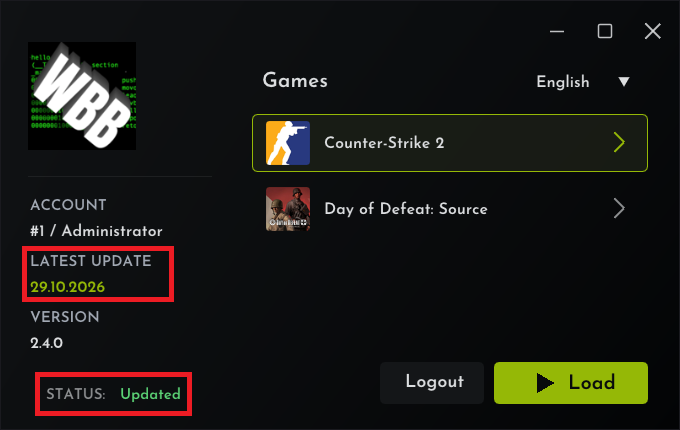
Step 6: Start the game in time
After pressing Load a message box reminds you to start the game now: the loader closes itself if the game is not started within two minutes. Press OK and move to the next step right away.
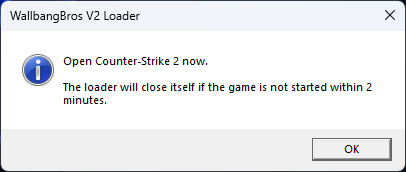
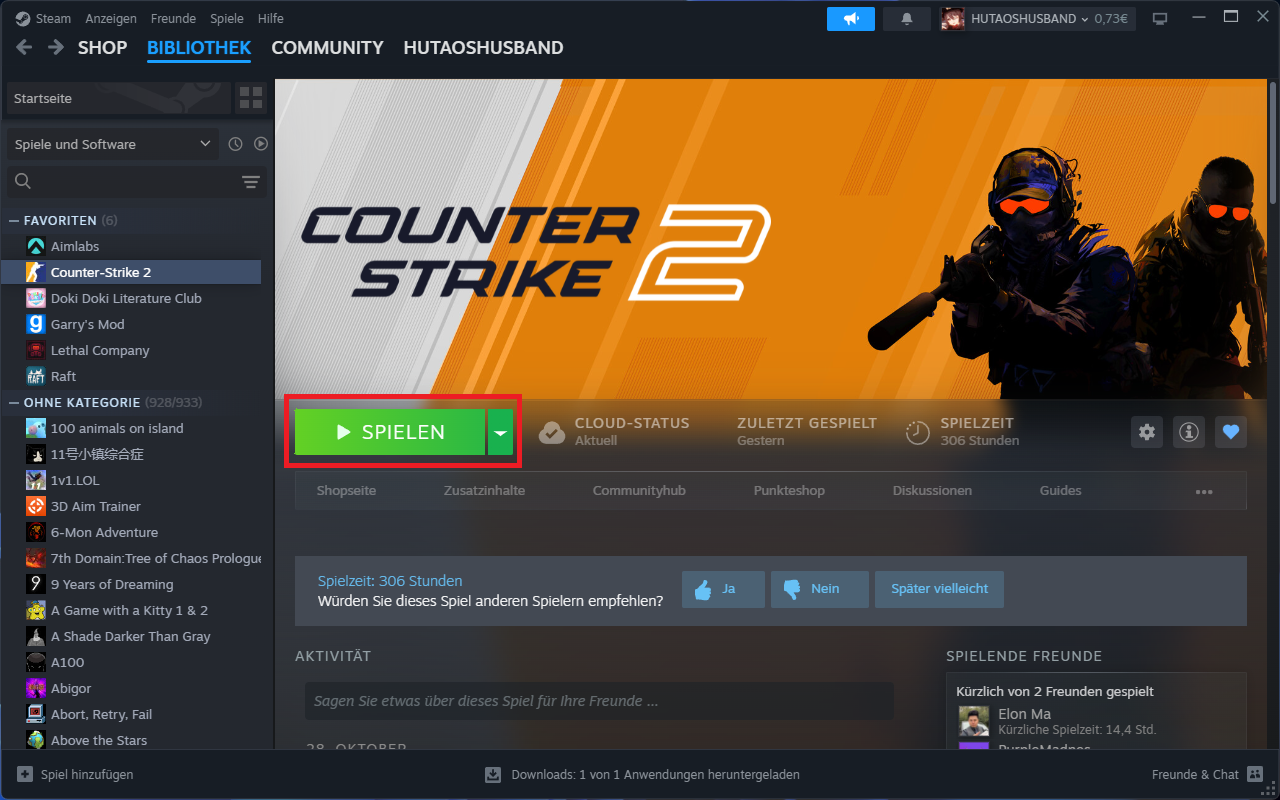
Step 7: Start Counter-Strike 2 from Steam
Open Steam and start Counter-Strike 2 with its normal Play button. Always start the game this way, the loader prepared everything for exactly this start.
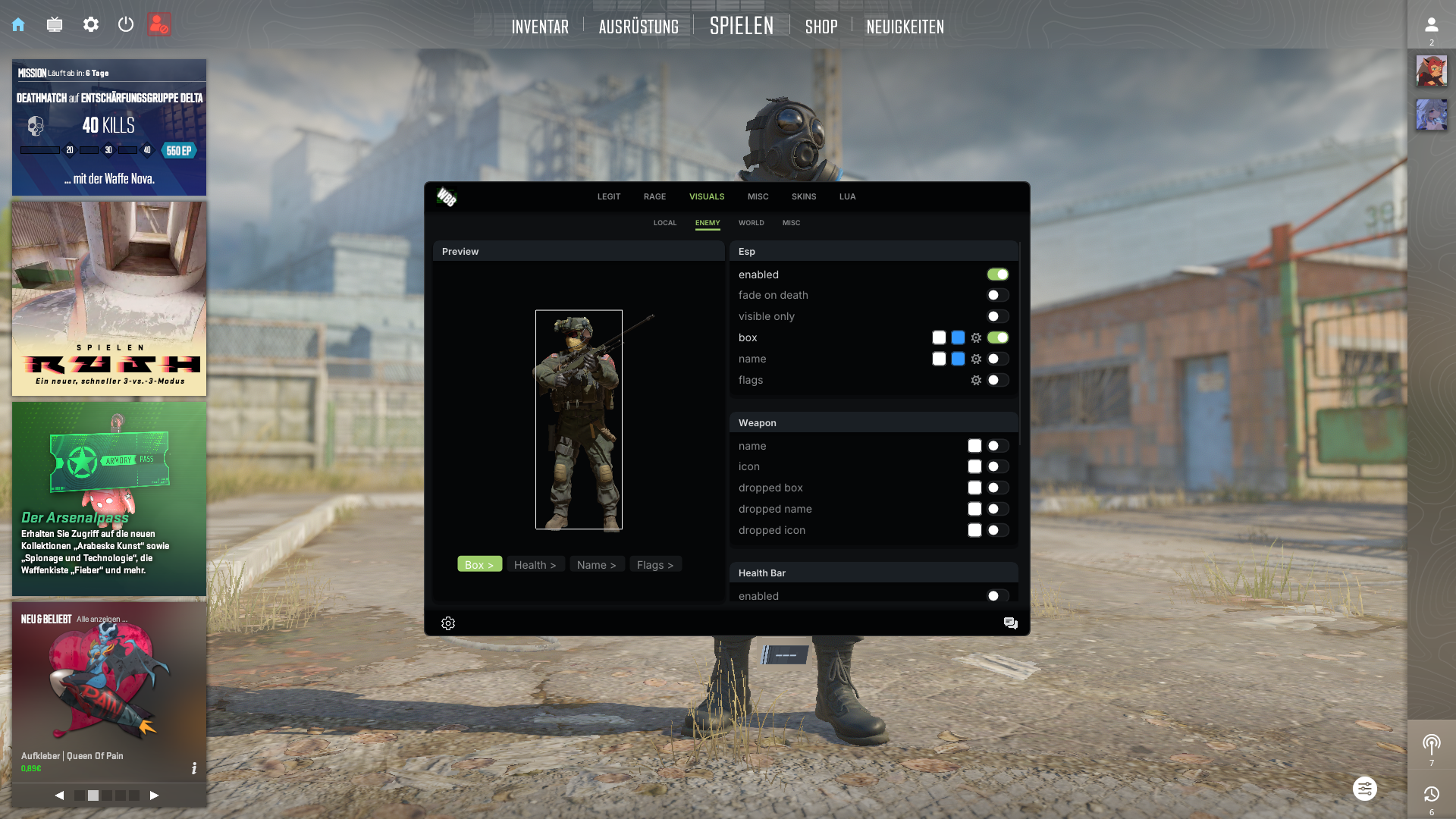
Step 8: Injected
Once the game reaches its main menu, the product loads automatically. In game, the WallbangBros menu appears with all your features. No further clicks needed, the session is running.
5. The Security Process
While a session is active, WallbangBros runs one extra background process next to the game.
- It belongs to your session, so keep it running while you play. Ending it ends the session.
- It closes by itself when you close the game or the session ends.
- There is nothing to install, it has no window, and it uses almost no resources.
6. Game updates & builds
When Counter-Strike 2 or Day of Defeat: Source receives an update, the affected product can be temporarily offline until a matching build is published. The STATUS field in the loader tells you the current state before you press Load.
- Check the changelog and the status page on the forum for current build availability.
- Do not roll back your game, wait for the announcement that the new build is live.
- The loader itself always serves the current build, there is nothing to install by hand.
7. Troubleshooting
Work through this guide in order. The first entries are the ones every new user should do once, the later entries map to the exact messages the loader can show.
7.1 Antivirus, do this before downloading
Antivirus tools regularly flag game modification software, even while it is only being downloaded. The safe order is:
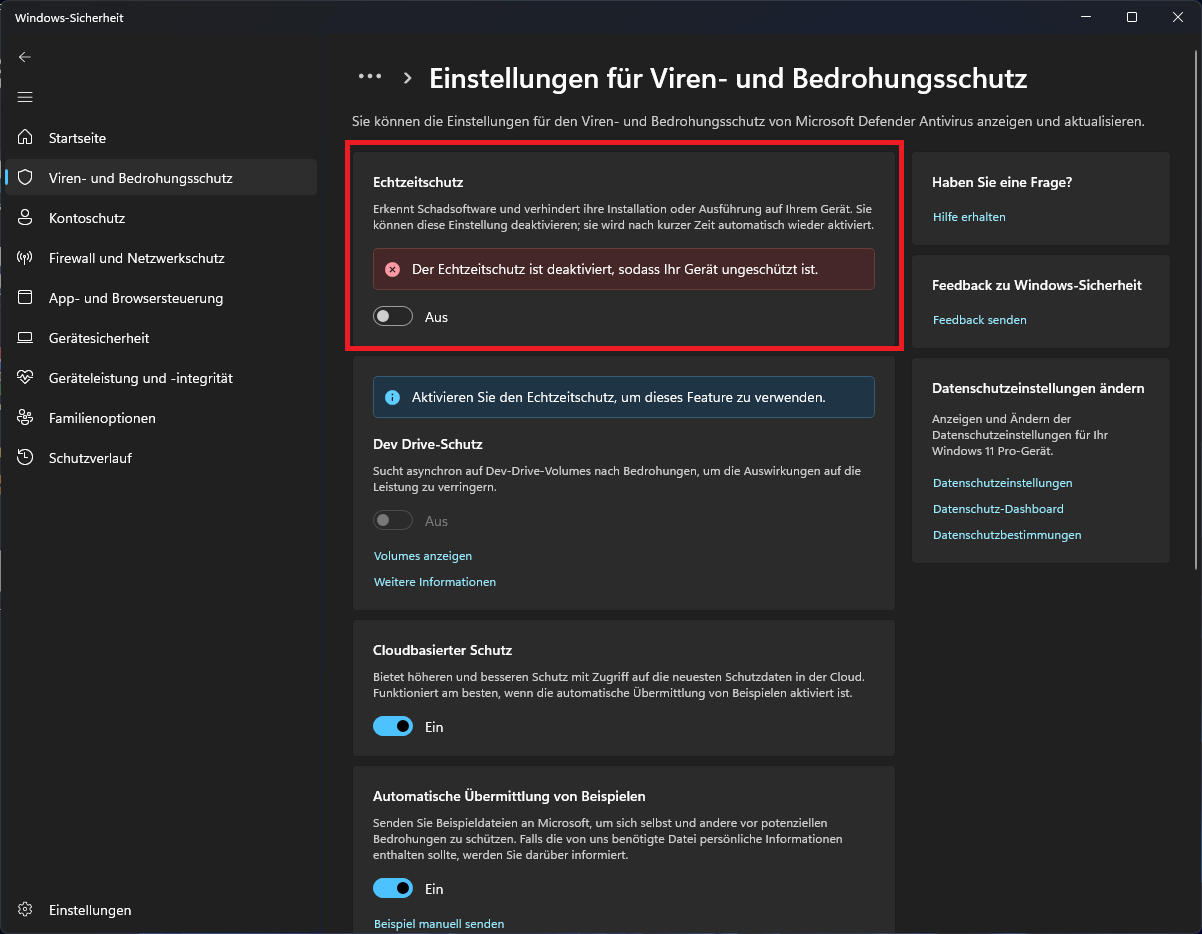
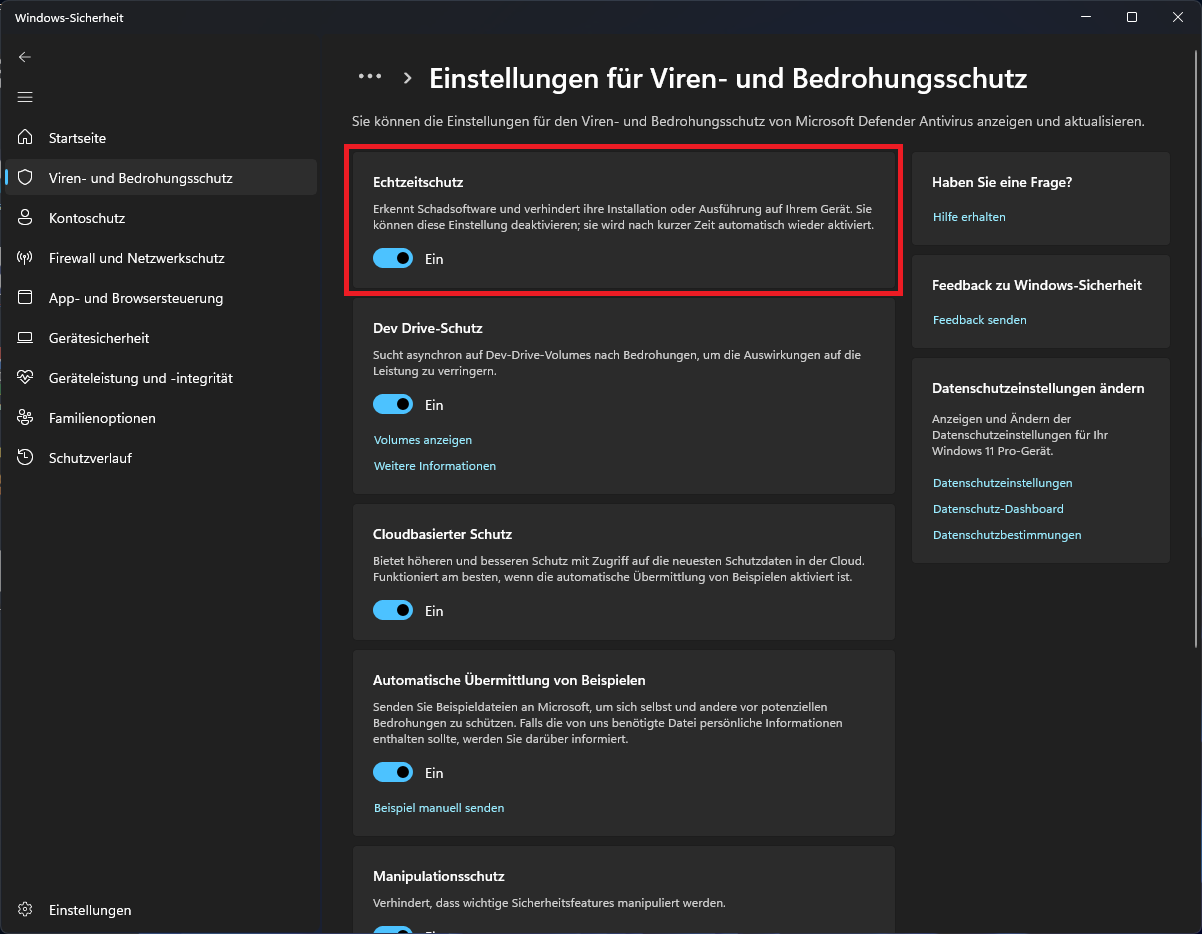
- Temporarily disable real-time protection. In Windows Security go to
Virus & threat protection, thenManage settings, and turnReal-time protectionoff. - Download the loader.
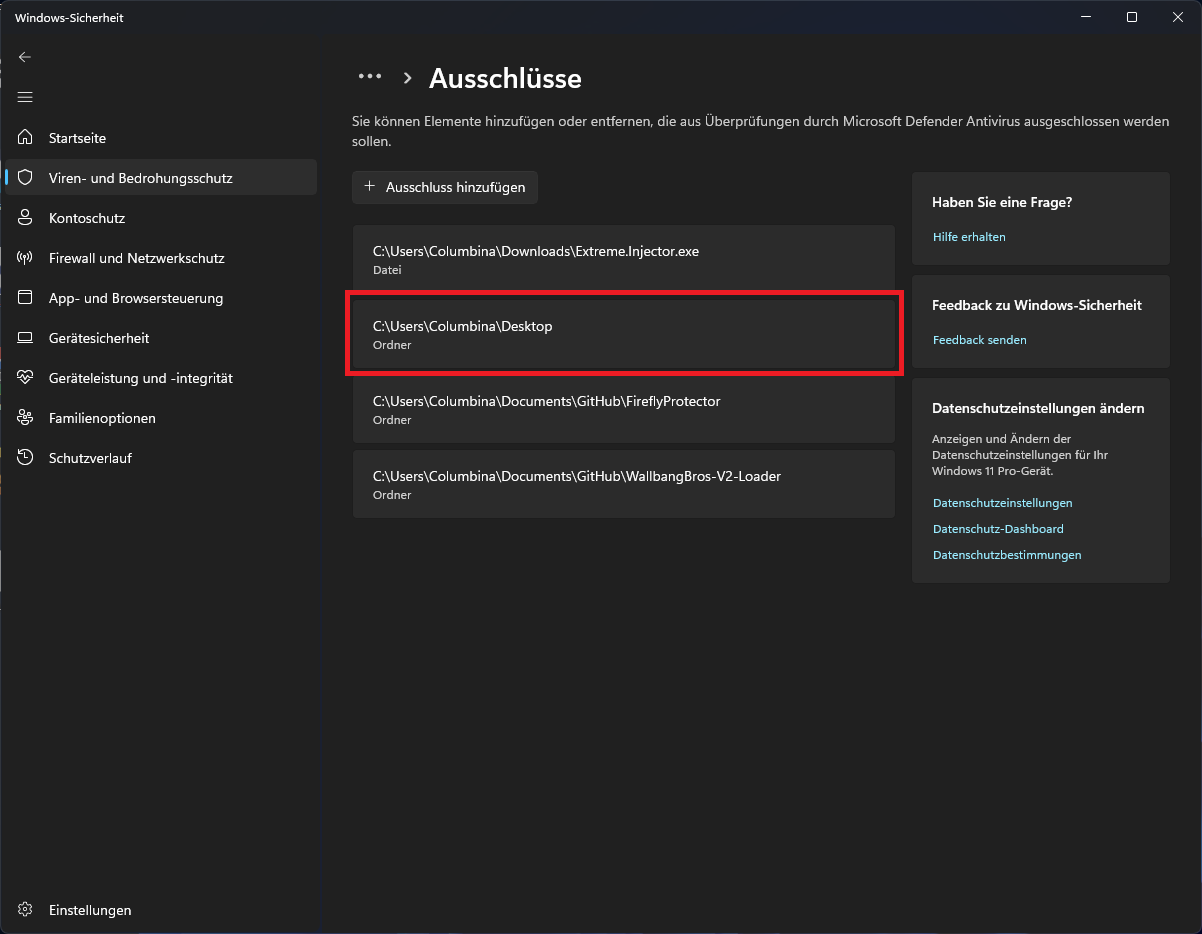
- Add the entire folder that contains the loader to the exclusions. You find that under
Virus & threat protection,Exclusions,Add folder. - Turn real-time protection back on. With the exclusion in place the loader keeps working.
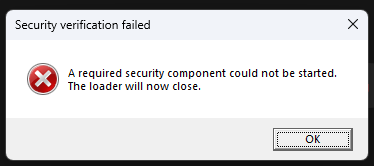
7.2 "A required security component could not be started"
If the loader opens with this error, one of its security modules could sometimes be deleted automatically, typically by an antivirus tool that quarantined it.
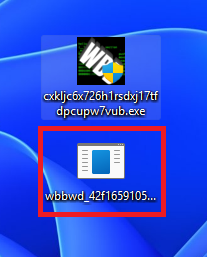
You can check this yourself. Open the loader once and look at the folder it lives in. Next to it there must be a separate small EXE that has no icon and carries a scrambled string name starting with wbbwd_, like in the picture below. If that file is missing, your antivirus deleted the security module. Restore the exclusion for the whole folder (see 7.1), then download the loader again and restart it.
7.3 Authorization requires a forum login
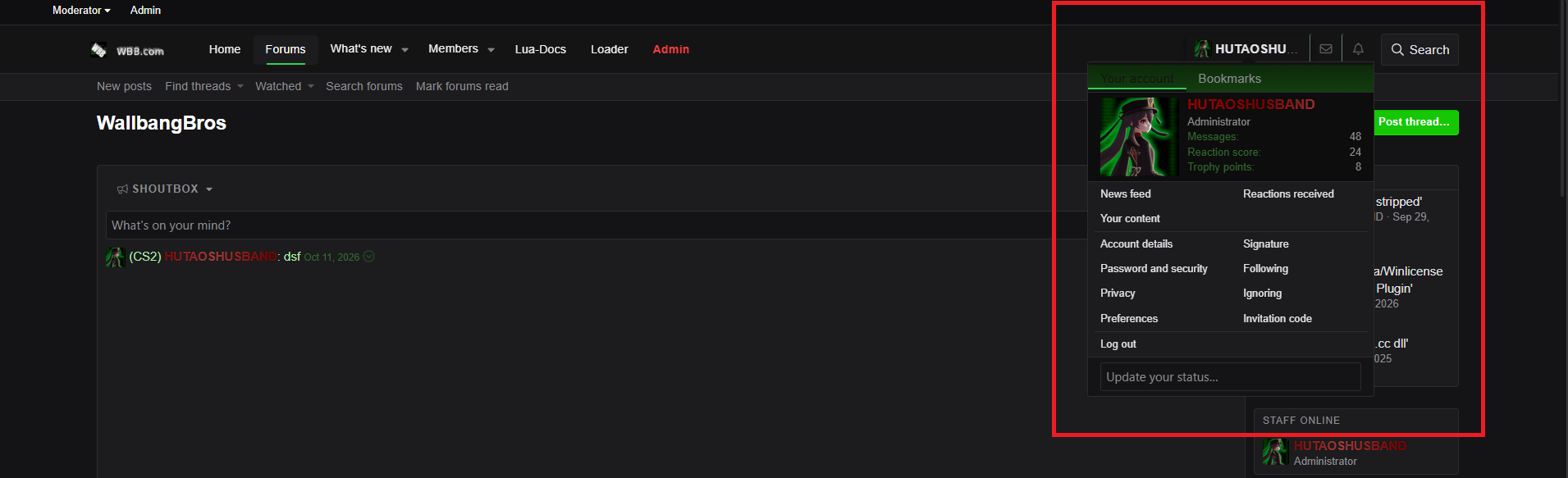
The loader authorizes through your forum account. If the website side of Step 3 does not show the Authorize button, you are not logged in. Log into the forum with your account first, then press Authorize in the loader again.
7.4 "This forum account is already bound to another HWID"
Your account is bound to the PC it was first authorized on. If you changed your PC or reinstalled Windows, the hardware ID (HWID) no longer matches and the authorize dialog shows this error instead of confirming.
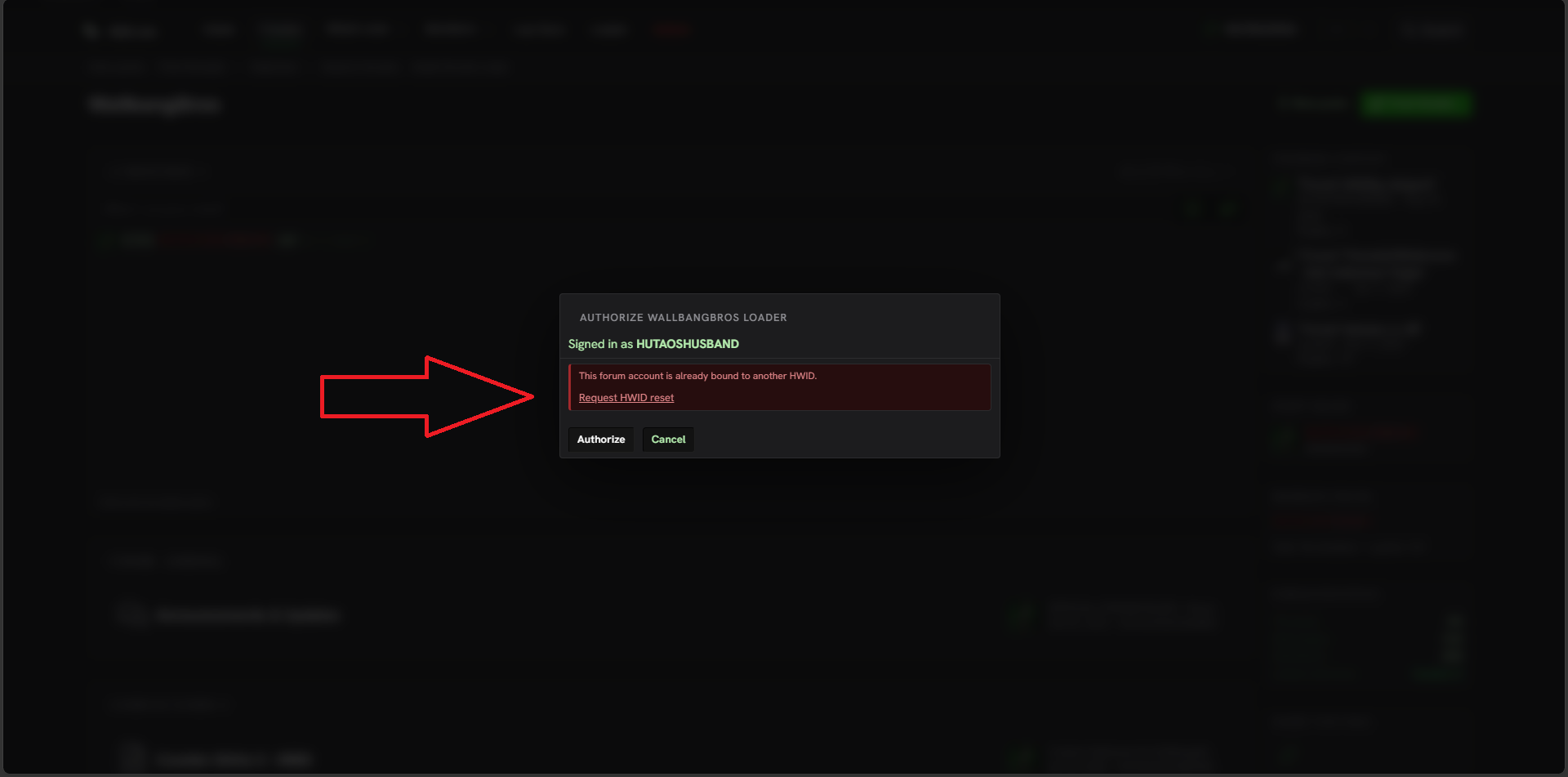
Use the Request HWID reset link. It is shown right in the dialog, and the same link sits below the Authorize button in the loader. After the reset, authorize again on the new machine.
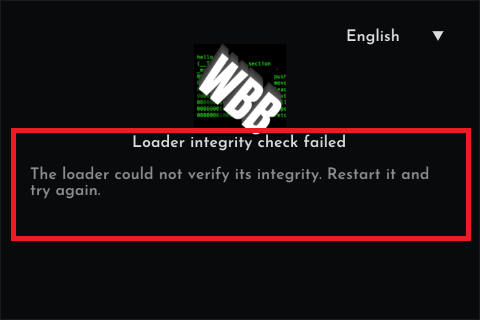
7.5 "Loader integrity check failed"
This message means the loader could not verify its own integrity. In practice this happens when tools such as IDA, x64dbg or similar analysis software are running in the background. Close those tools completely and restart the loader.
7.6 "A security violation was detected. The game session was terminated."
If this box appears while a debugger such as x64dbg is attached to the game, it means exactly that: you are not allowed to debug or tamper with Counter-Strike 2 while the client is loaded. The session ends to protect your account.
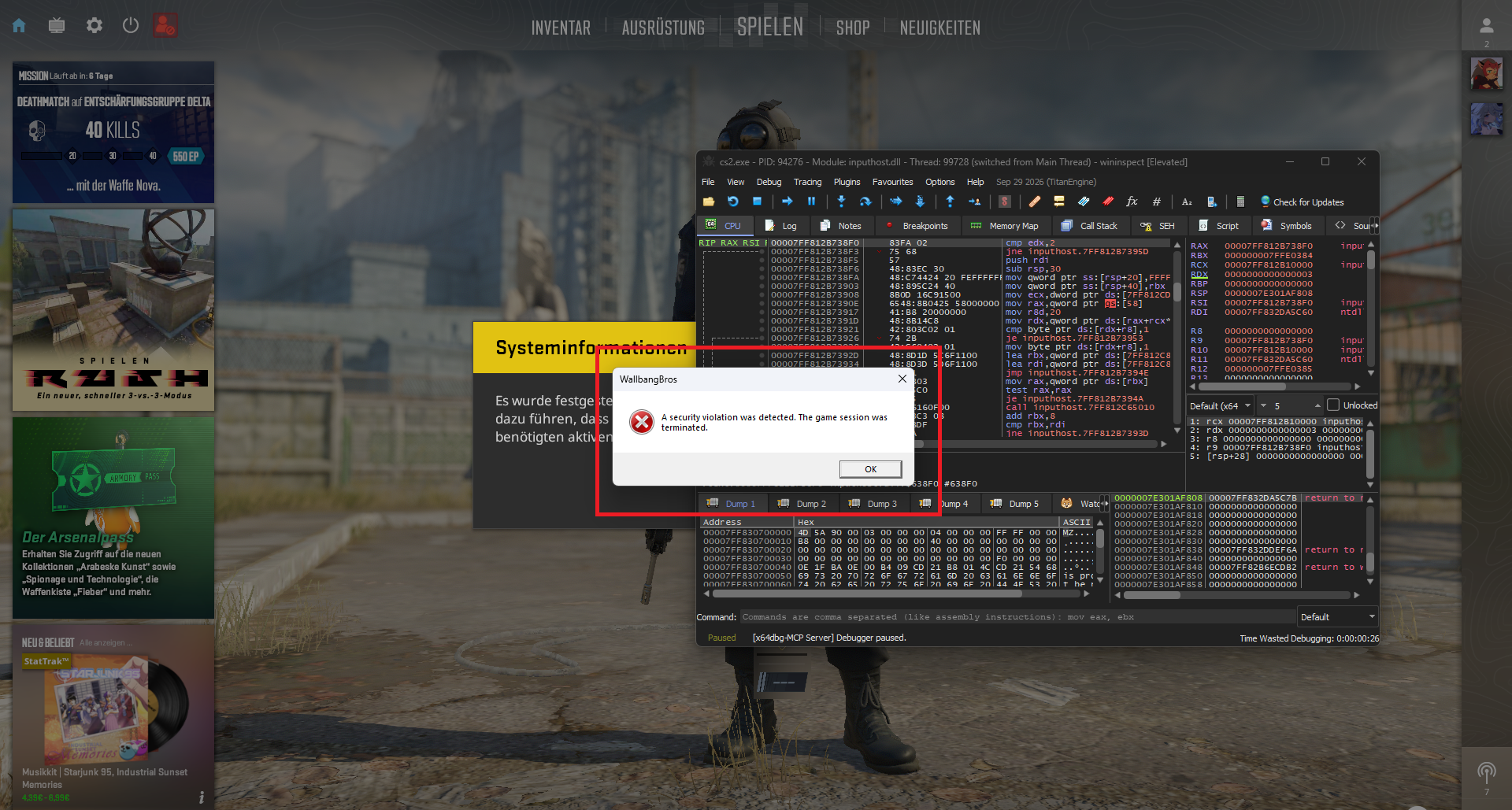
If you want to analyze the game, do it in a clean session without the client loaded.
7.7 Quick fixes
| Symptom | Fix |
|---|---|
| Injection never completes | Fully close the game, restart the loader as administrator, and start the game within the two-minute window after Load. |
| "The previous session did not shut down cleanly" notice | Harmless status note. The previous session ended abruptly (game crash, forced kill, power loss), and it clears itself on the next clean session. |
| Product card is greyed out / missing | Your account does not have that product unlocked yet. WallbangBros is private and works with free invites, see the FAQ below. |
| Game crashes during or after loading | Check the forum status page for a known-bad build after a game update, update your GPU drivers, and report the crash in the support section with the time it happened. |
8. FAQ
Is the Security Process a virus?
No. It is WallbangBros' own session process, and antivirus detections on it are false positives. Add an exclusion for the loader's folder (see troubleshooting 7.1).
Do I have to inject again every session?
Yes. Authorize, pick the game, press Load, start the game. That is the whole routine, the rest is automatic.
How much does it cost?
Nothing. WallbangBros has been free forever and it stays free.
It is private, how do I get in?
Through an invite. Invites are free and get handed out once in a while to people who are active in our Discord, so be active there and watch for the drop. After you have your invite, log in with your forum account and the walkthrough above applies.
Where do I put my configs, sounds and custom content?
Everything lives in the WallBangBros folder inside the game's csgo folder, for example .../Counter-Strike Global Offensive/game/csgo/WallBangBros/. Your configs (.wbb slots) sit directly in that folder, custom sounds are .wav files in the sounds subfolder, chat fonts go into chat_fonts, and scripts belong into lua (see the Lua scripting documentation). Skins, agent models and skies are chosen inside the menu from the built-in catalogs, you do not have to drop any files into folders for those.
Can I use the loader on multiple PCs?
Your account is bound to one PC at a time (HWID). After changing your PC or Windows, use the HWID reset (see troubleshooting 7.4).
Where do I get help?
Open a thread in the support section of the forum. Include what you did, which message you saw, and the time it happened. That is everything support needs.
9. Rules and account bans
An account can get permanently banned and its access suspended. There is no warning ladder for this, so keep the following away from your account:
- Harassing users in the forum.
- Sharing malware or other harmful programs. Cheat clients do not count towards that.
- Doxxing forum users.
- Sharing invitation codes from competitors.
- Trying to crack or bypass WallbangBros licensing functions, or attempting to decompile the contents you received through your invitation (anything provided by WBB-Group).
10. Showcase
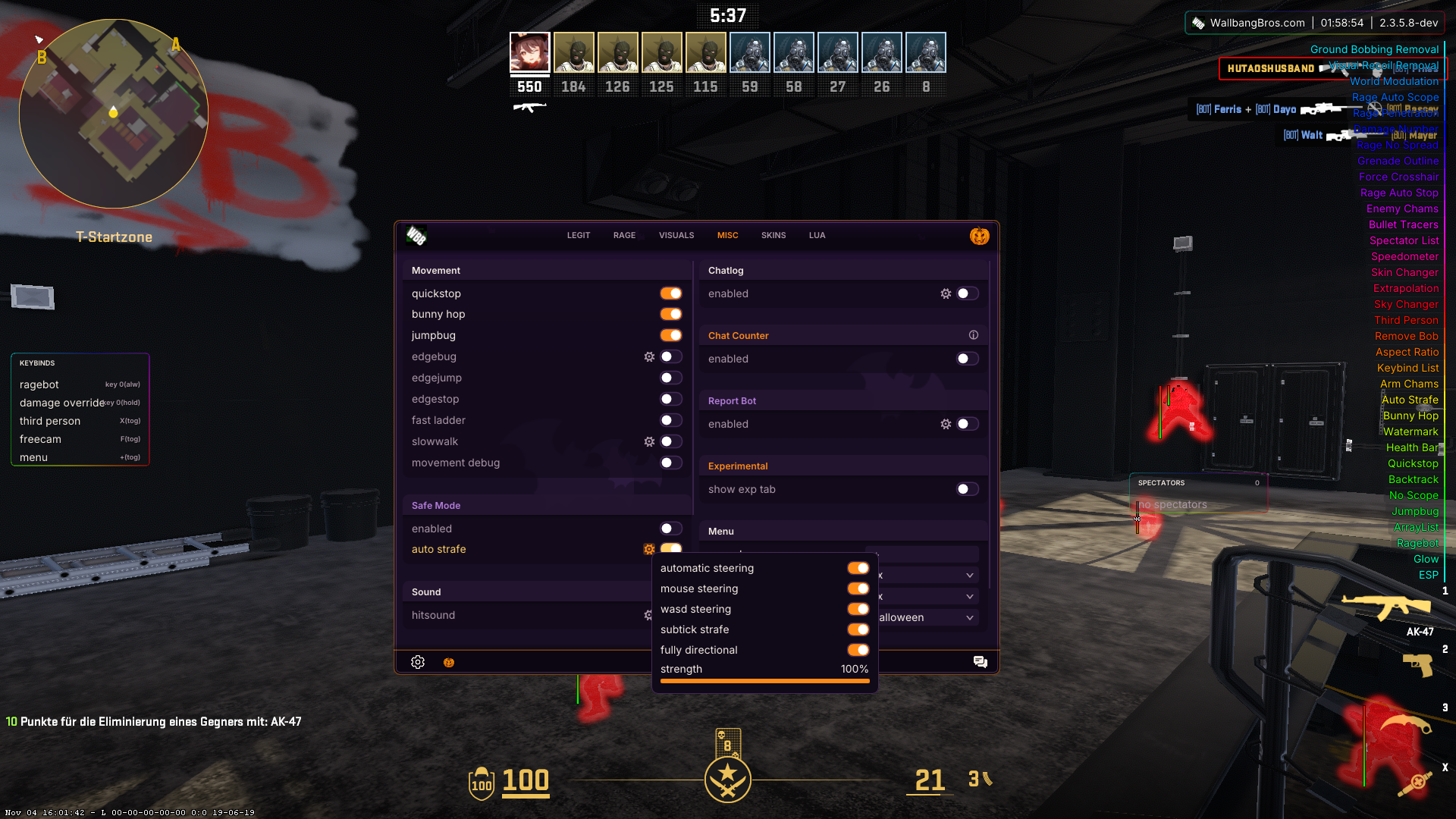
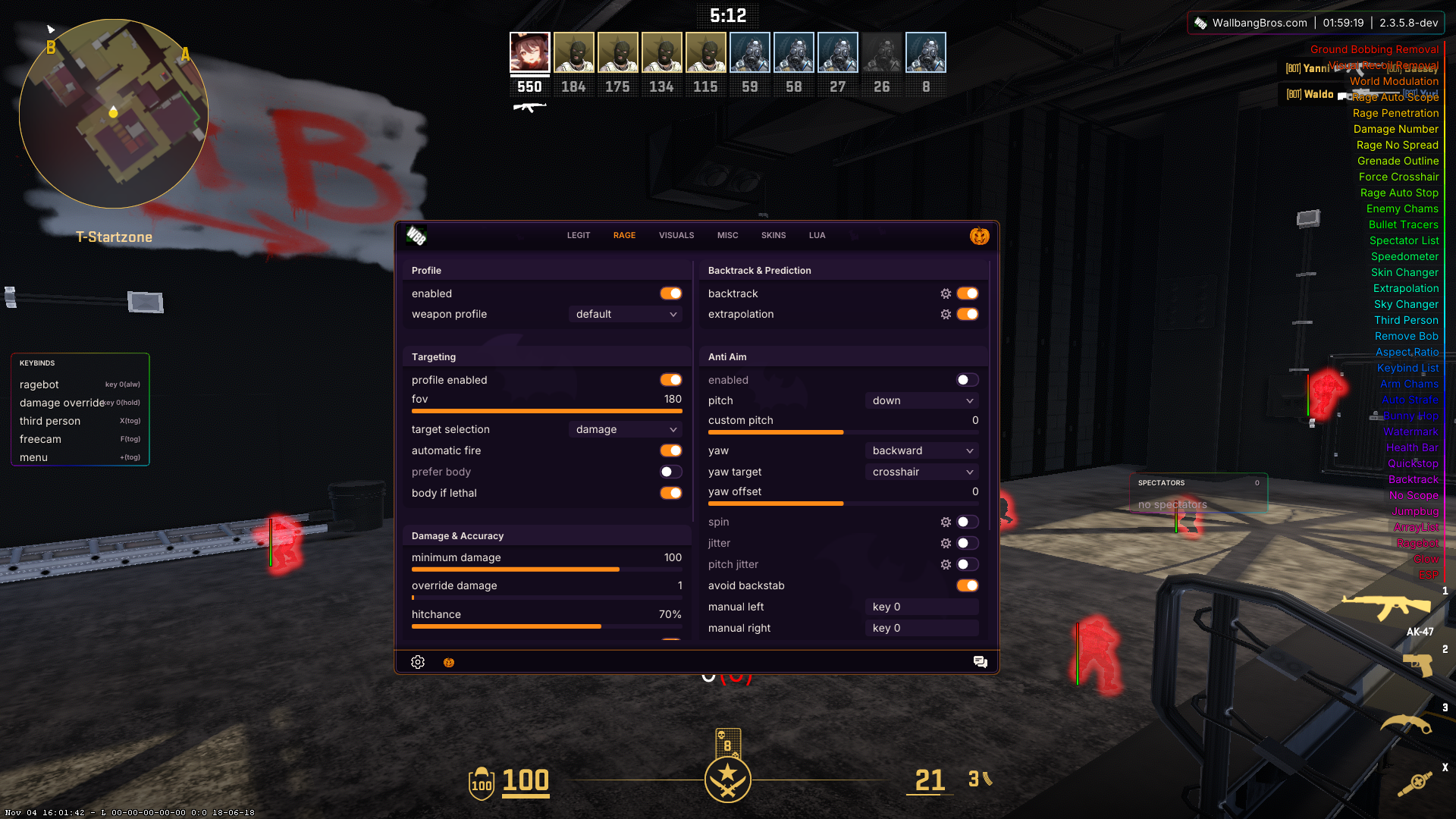
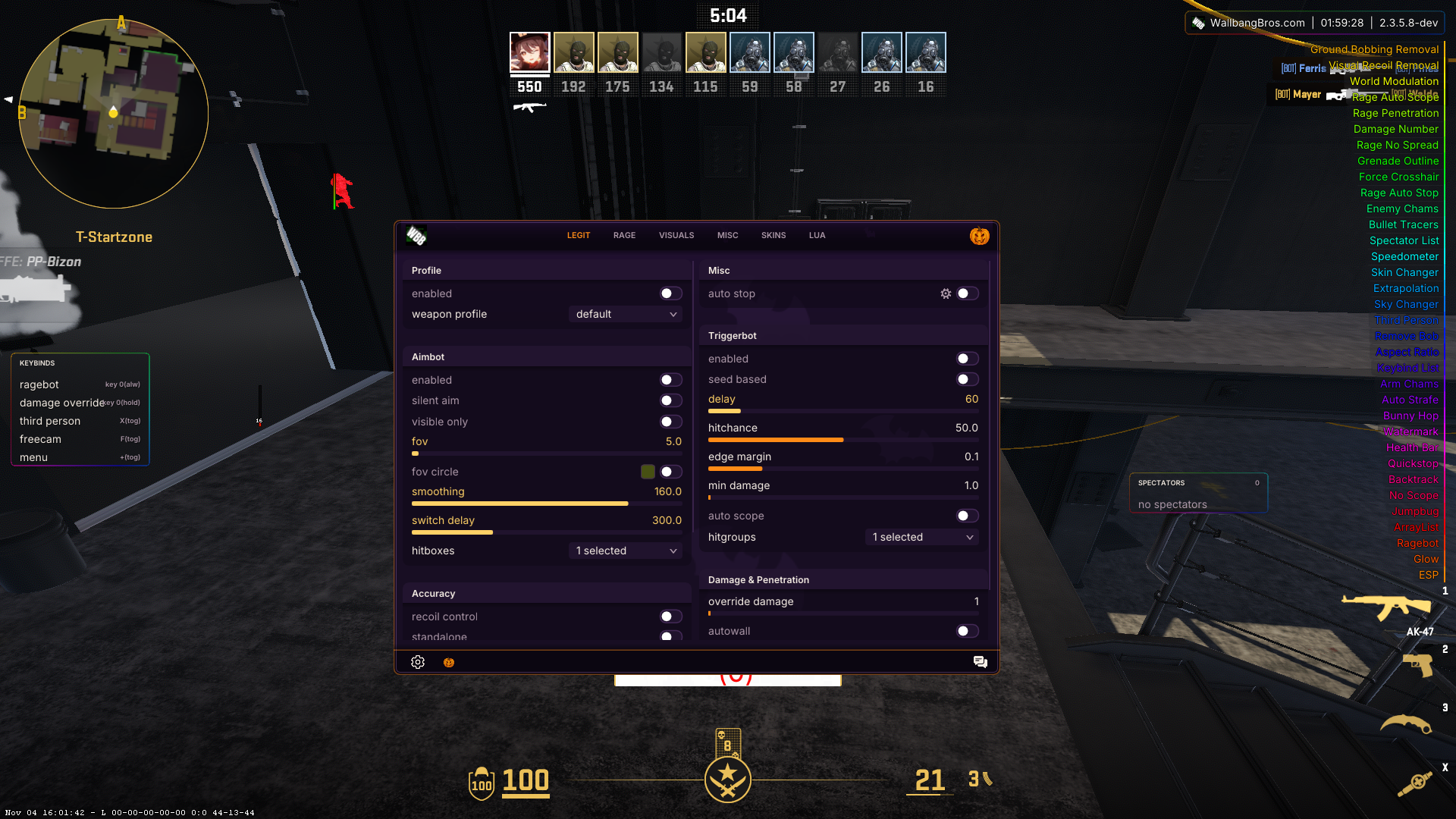
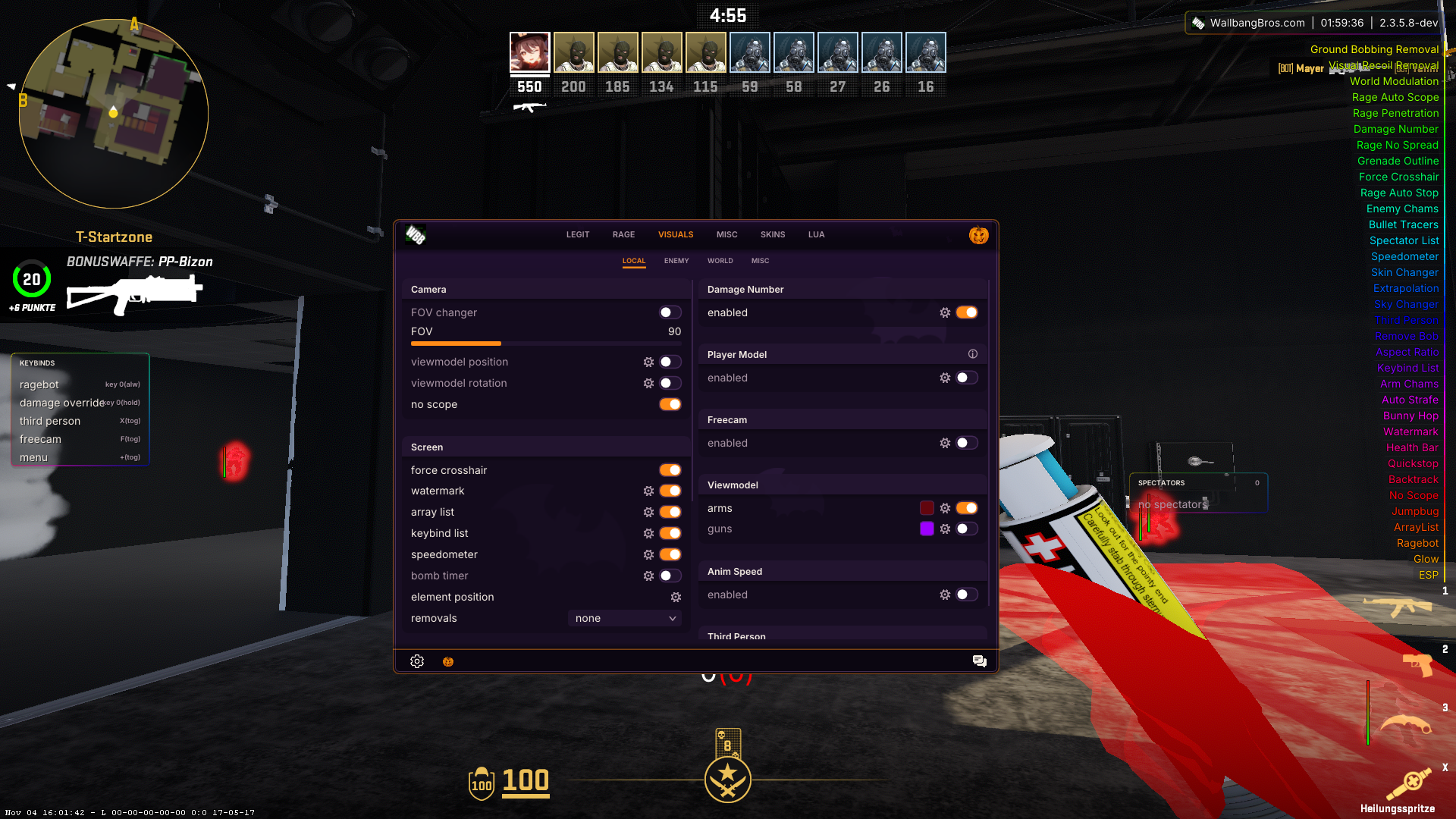
GUI
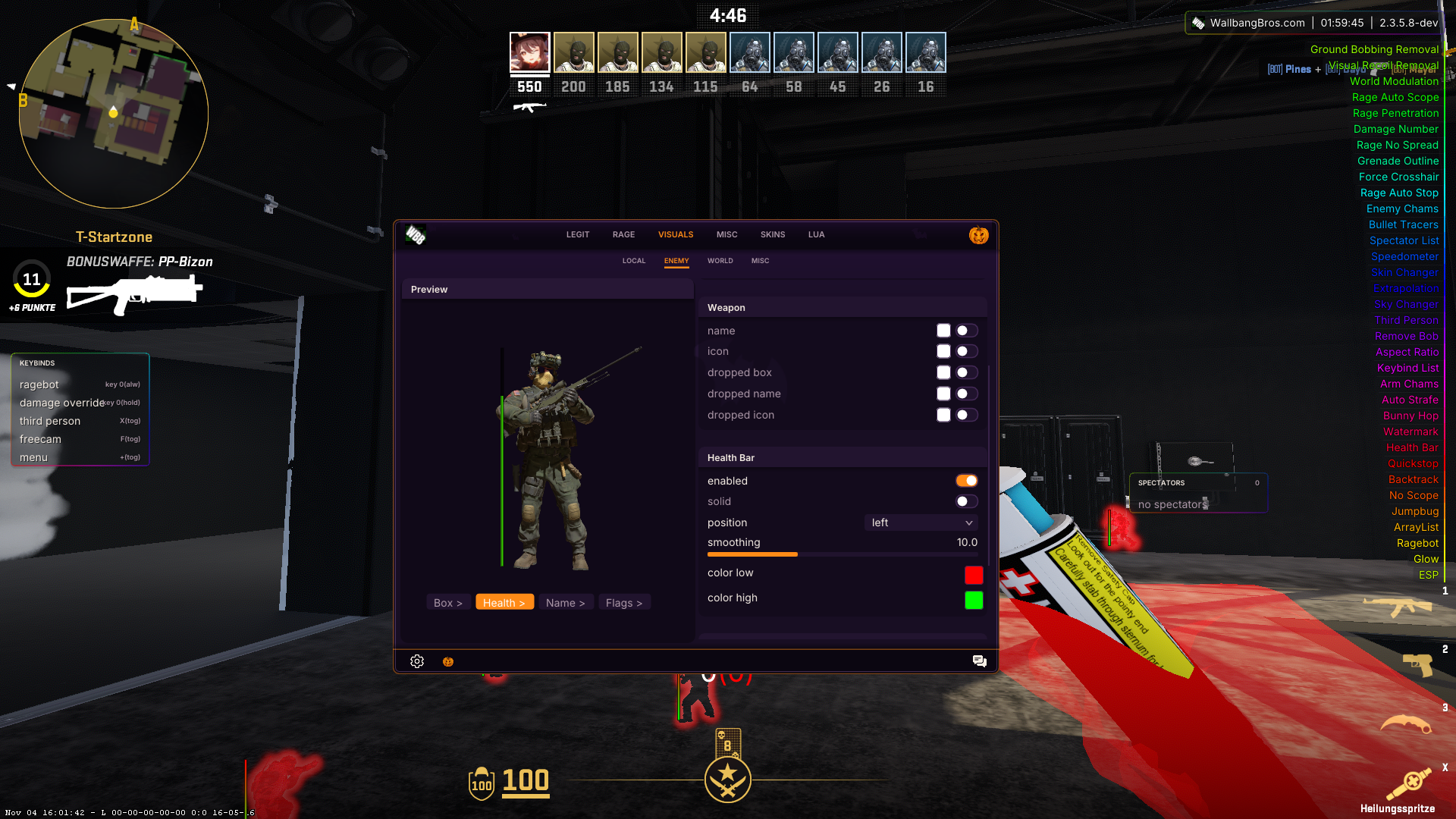
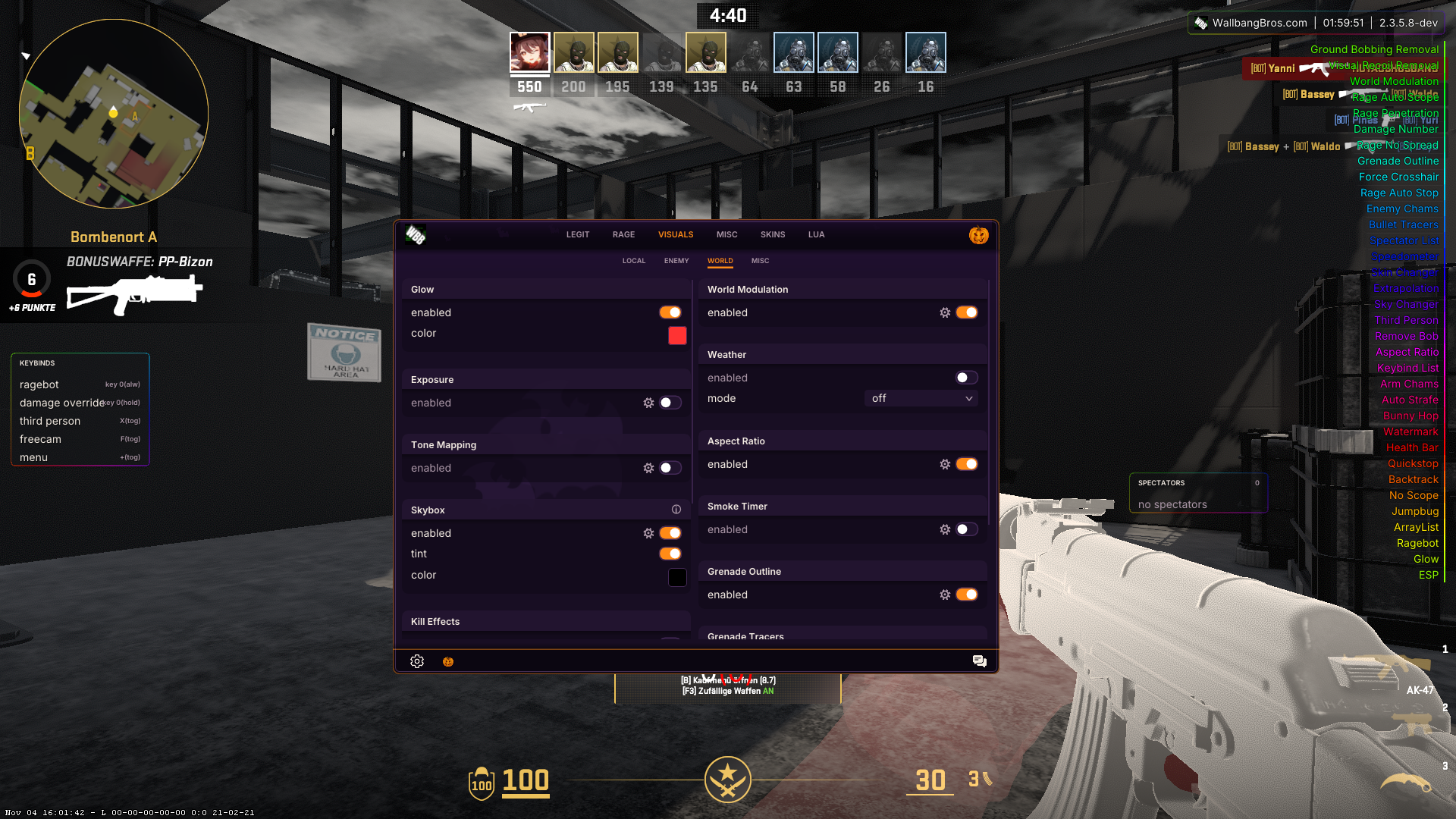
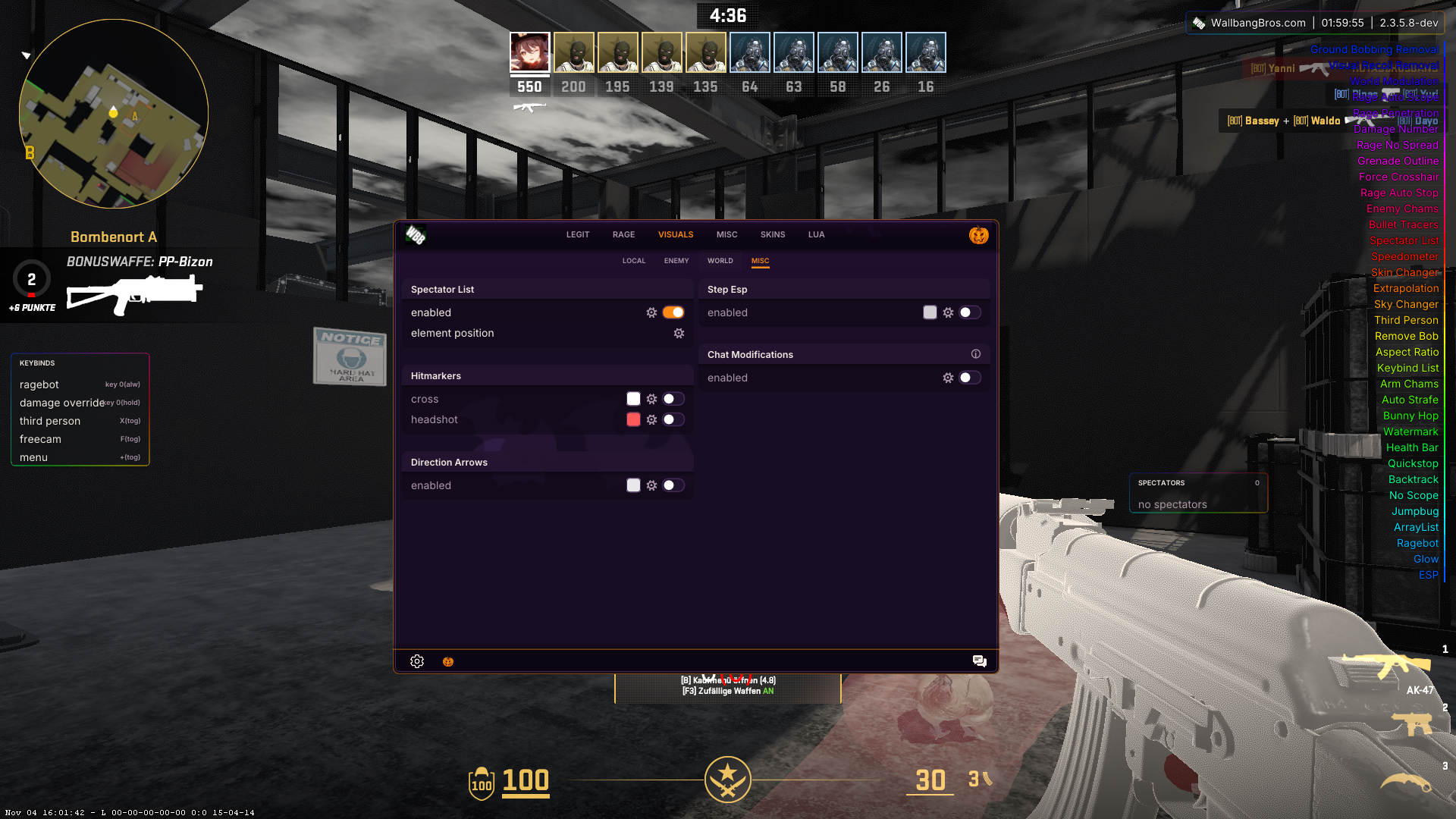
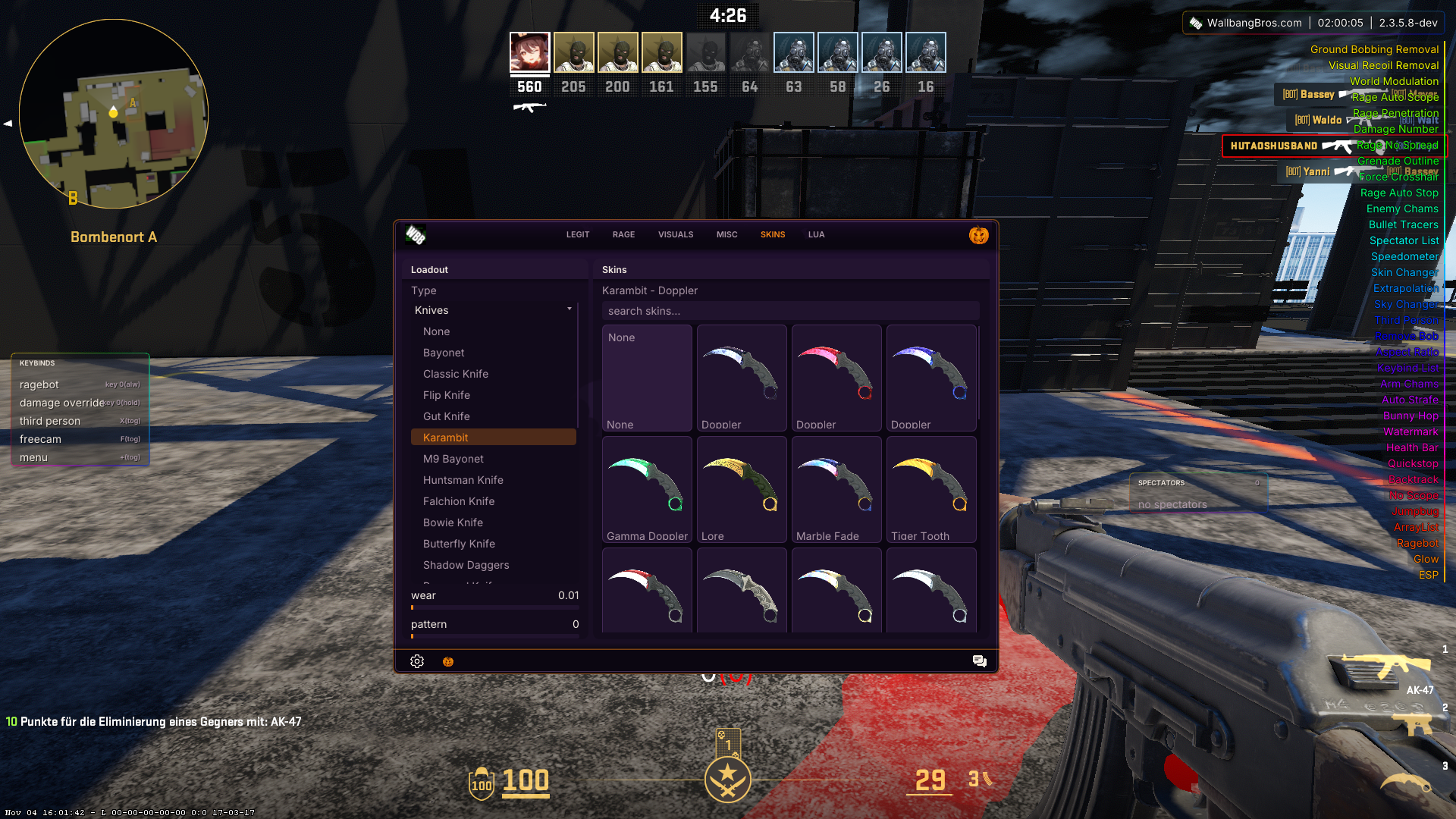
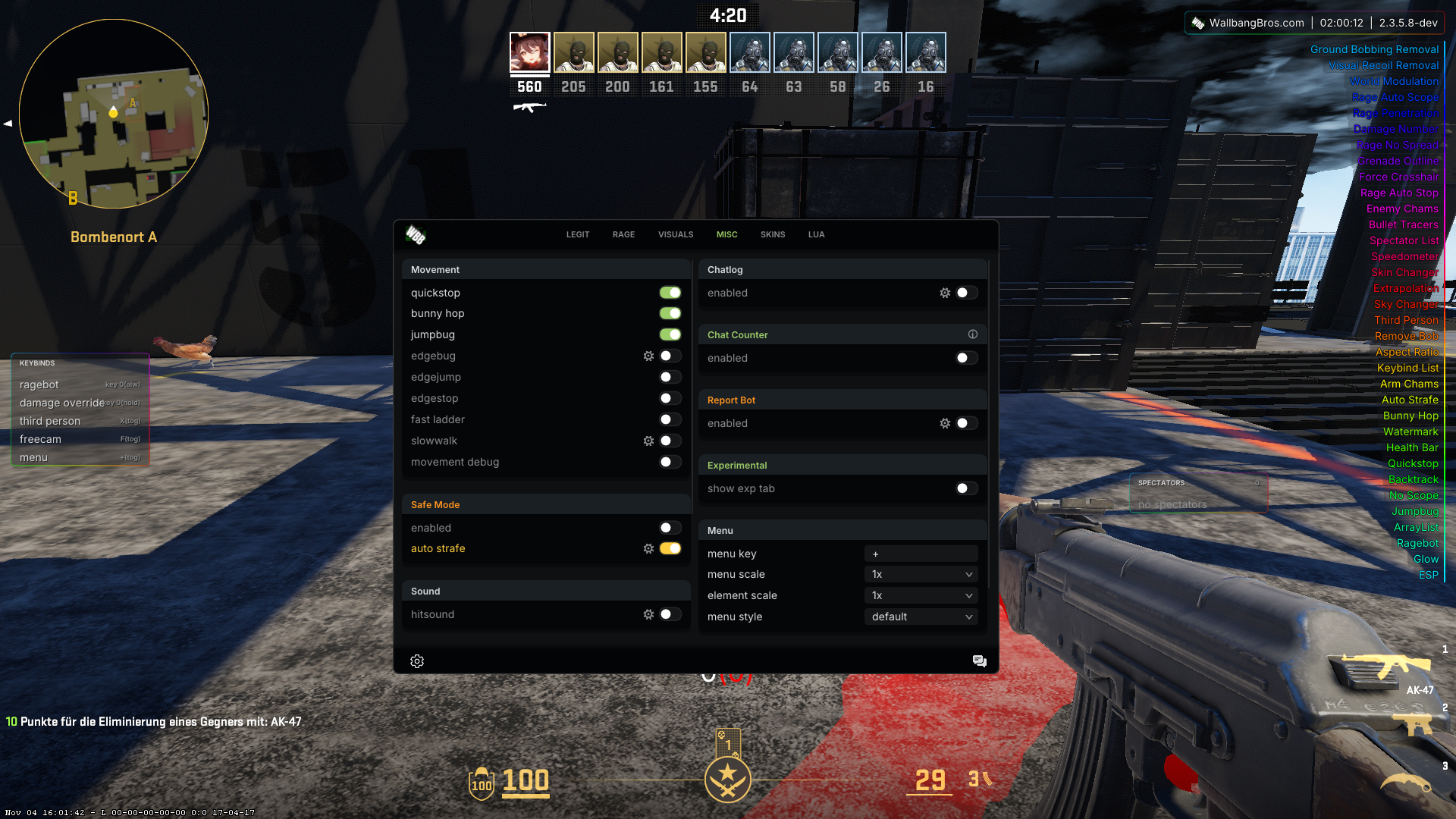
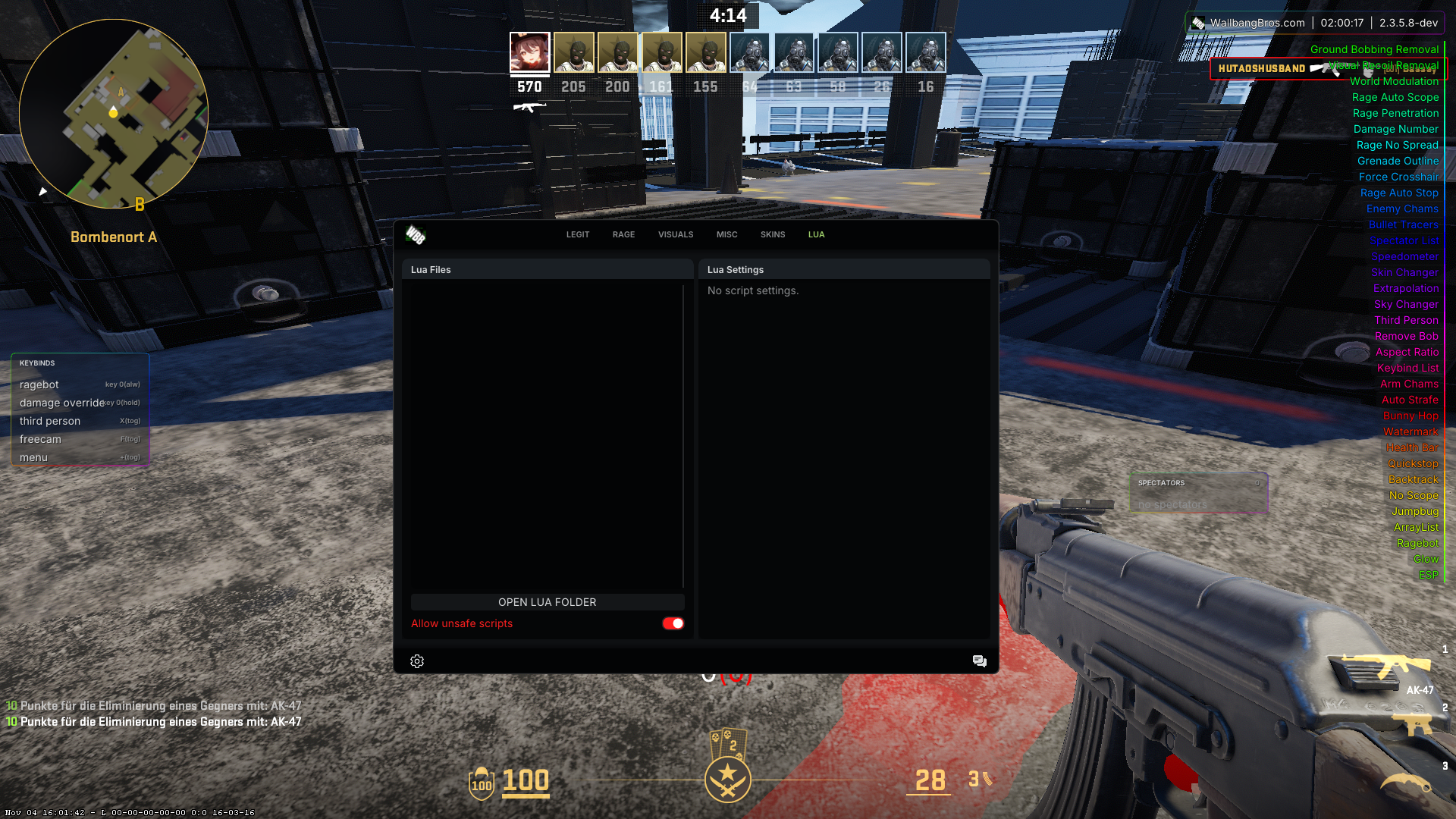
Every tab of the in-game menu, one screenshot each.
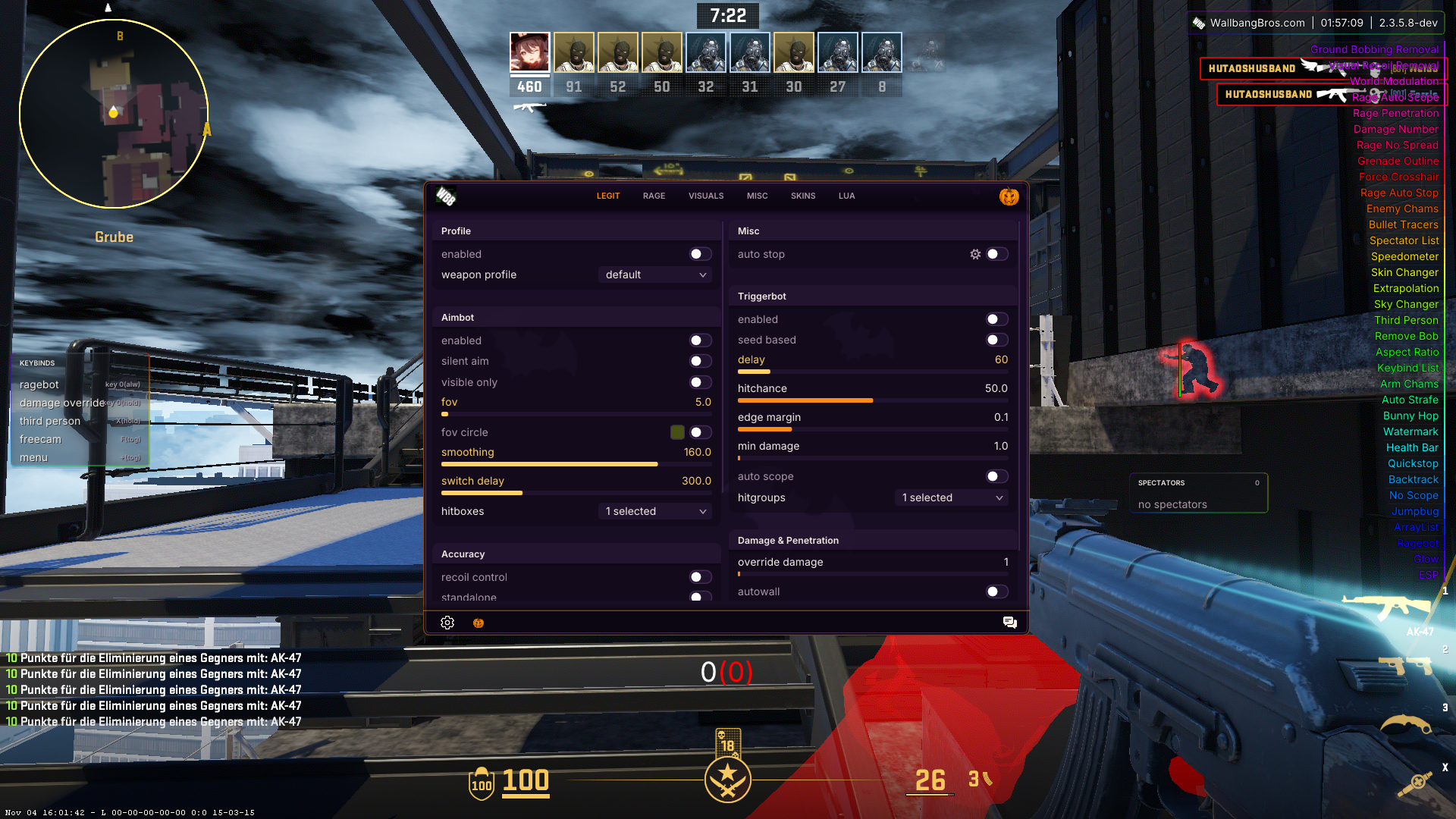
Visuals
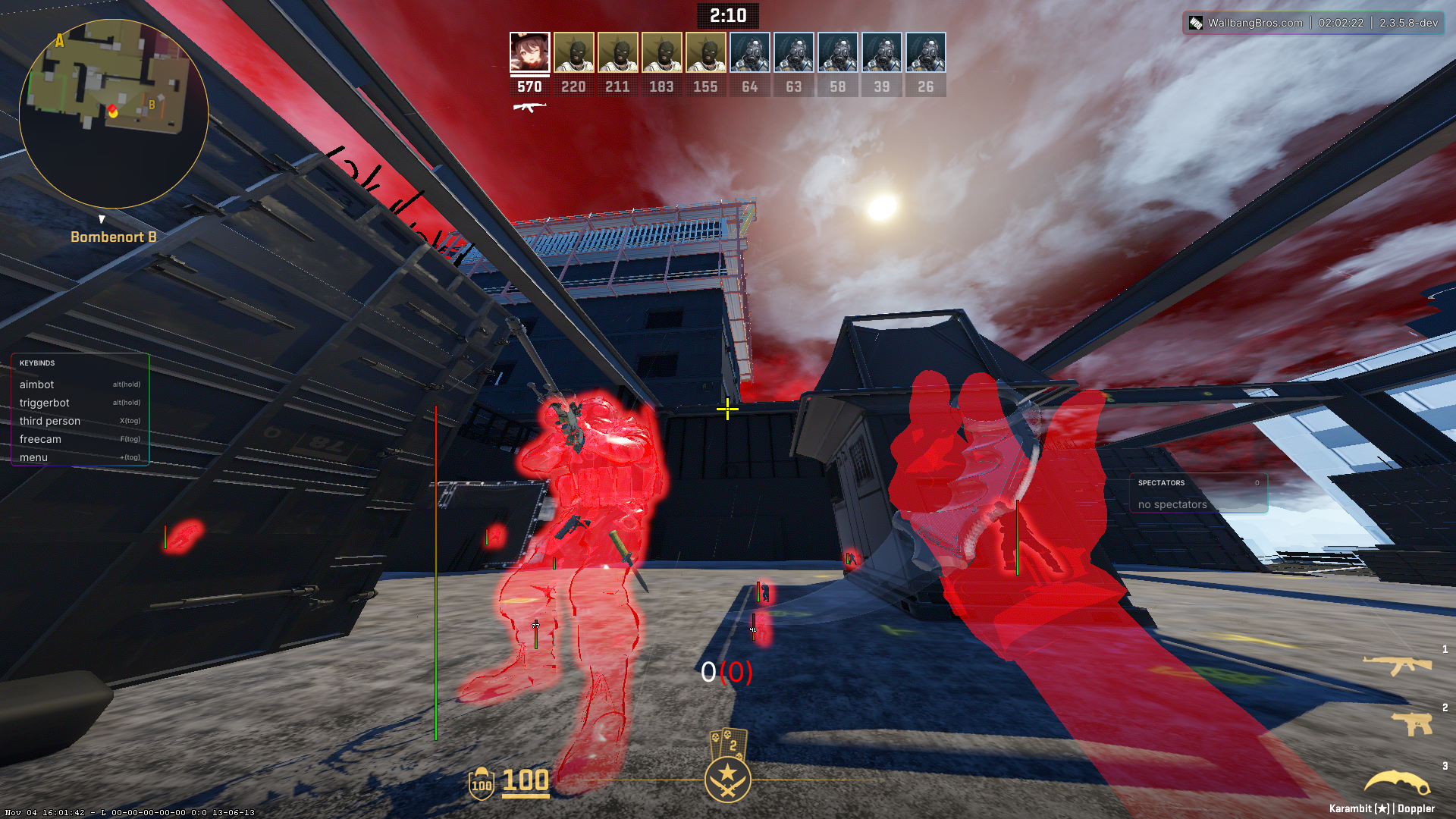
And how it looks in game without the menu open.